kdos
Boot and init
This chapter follows a KDOS machine from power-on to the login prompt and names the program that
owns each step: the Limine boot loader, the kernel’s early microcode loader, the initramfs and its
boot splash, the A/B root slots, rcS and the service scripts, and the console login that starts
the desktop. It is written for two readers: someone whose machine stops somewhere along that path
and who needs to know which program to look at, and a contributor changing the boot loader, the
initramfs, the splash, the slots, rcS or the login. Read
the architecture overview first for where boot sits in the running system, and
Getting started for the same path seen from the user’s
side: what appears on screen and which menu entry to pick.
To diagnose a boot, read The sequence and When a boot stops, then go to the section for the step that failed. Several sections are reference for contributors and change nothing about how a running machine behaves: Why the plate is opaque, The margin ceiling, The artwork, the build checks listed in The initramfs, and Tools that must be util-linux’s. After this chapter you can say which stage a boot reached, where that stage writes its log, what each kernel command-line word does, and how the A/B root slots decide which root to boot and when to roll back.
Terms used throughout:
| Term | Meaning |
|---|---|
| ESP | The EFI system partition: a small FAT partition the firmware reads. On an installed KDOS machine it holds the boot loader, the kernels, the boot menu and the A/B boot state, and the running system mounts it at /boot/efi. |
| initramfs | The small archive the kernel unpacks into memory and runs first. Its init script finds, unlocks and mounts the real root, then hands over to it. |
| Root slot | One of two root partitions, a and b, on a machine set up for A/B updates. One is the active slot, known to work; the other can hold an update on trial. Not the same thing as a colour slot. |
| Live medium | The KDOS ISO, booted from a USB stick or optical disc, running from a compressed image with an in-memory (or persistent) overlay on top. |
| Splash | kdos-splash, the program that draws the boot animation and the stage list on the framebuffer from the initramfs until the login prompt. |
| Runlevel | The state sysvinit’s init keeps the machine in, named in /etc/inittab: 3 is the running system, S single-user, 0 power-off and 6 reboot. Each inittab entry lists the runlevels it runs in, and telinit moves between them. |
The sequence
| # | Stage | Run by |
|---|---|---|
| 1 | Firmware, BIOS or UEFI | The machine |
| 2 | Limine, from the ESP on UEFI or from the MBR on BIOS | The firmware |
| 3 | The kernel, with its command line | Limine |
| 4 | Early microcode load | The kernel, before any filesystem exists |
| 5 | The initramfs init: mounts /proc, /sys, /dev, /dev/pts and /dev/shm, starts the splash |
The kernel |
| 6 | Device manager: udevd, trigger, settle |
The initramfs init |
| 7 | Software RAID assembly (mdadm --assemble --scan), when mdadm is carried |
The initramfs init |
| 8 | Filesystem modules: loop, isofs, squashfs, overlay |
The initramfs init |
| 9 | A/B slot selection, when the command line names bootstate= |
kdos-bootctl select |
| 10 | Volume-group activation, then the encrypted-root unlock, then activation again | lvm, cryptsetup |
| 11 | Find, check and mount the root (installed), or find the medium and build the overlay (live) | The initramfs init |
| 12 | switch_root |
util-linux’s switch_root |
| 13 | /etc/init.d/rcS |
init (sysvinit), as its sysinit entry |
| 14 | The numbered service scripts (boot order) | rcS |
| 15 | kdos-bootctl mark-good |
rcS, last |
| 16 | The splash quits | rcS |
| 17 | kdos-getty on tty1 and tty2; serial-getty (agetty) on ttyS0 |
init, as respawn entries of runlevel 3 |
| 18 | kdos-login, which hands tty1 to agetty |
kdos-getty on tty1 |
| 19 | The desktop | ~/.bash_profile (or ~/.zprofile for a zsh login), on tty1 only |
Step 19 is the session. A login on tty1 reaches it without anyone typing a
command. tty2 is a plain agetty and is the recovery console: a machine whose GPU driver fails to
come up still has a login prompt there. Press Ctrl+Alt+F2 to reach it from the desktop, or
Alt+F2 at a text console, and Alt+F1 to come back.
When a boot stops
The splash names each stage as it runs, so the last line it shows is the stage that stopped. The
initramfs stages are, in order: DEVICE MANAGER, RAID, FILESYSTEM MODULES, BOOT SLOT,
VOLUME GROUPS, UNLOCKING, then ROOT DEVICE, MOUNTING ROOT and SWITCHING ROOT on an
installed machine, or BOOT MEDIA, SYSTEM IMAGE, OVERLAY ROOT and SWITCHING ROOT on the
live medium. A stage appears only on a boot that runs it. After switch_root, rcS adds
MOUNTING FILESYSTEMS, one stage per enabled service script, named after the script in capitals,
and STARTING SESSION.
| Where it stopped | What happened | Where to look |
|---|---|---|
| Before the menu | The firmware found no boot loader | Limine and the kernel command line |
| An initramfs stage, then a shell | The root, the medium or the container could not be found or opened | The reason on the splash and on tty1, which then holds a rescue shell; the full log on the serial line when it is the console (every live entry). See The rescue shell, then Finding the root, Unlocking an encrypted root, blkid |
ROOT FILESYSTEM HAS ERRORS - RUN e2fsck |
e2fsck -p left errors on an ext root |
Checking the root |
fsck: errors left uncorrected |
A non-root filesystem has errors | /run/kdos-fsck.log |
| A service stage marked failed | That service script exited non-zero; up to six lines of its output are on the splash | /run/kdos-init.<name>.log, and /run/kdos-svc.<name>.log for a supervised daemon |
| A login prompt with the wrong font or colours | The console setup did not complete | /run/kdos-getty.<tty>.log |
| A black screen after the splash | The session did not start | Press Ctrl+Alt+F2 (Alt+F2 at a text console) and log in on tty2; then The session |
Everything the initramfs prints goes to /dev/console, and where that is depends on the boot (see
the console= row):
- On the live medium it is the serial port, so a machine that dies behind the splash can still be read from a serial line or from a virtual machine’s serial output.
- On an installed machine it is the first virtual terminal, the same screen the splash draws on. A failure quits the splash before the rescue shell opens there, so the reason and the prompt are on the text console; see The rescue shell.
Limine and the kernel command line
The boot loader is Limine (the limine port, 12.9.0), and it is
the only one. The same binary, the same configuration file and the same menu serve BIOS and UEFI,
so what a machine shows at power-on does not depend on how it started. On UEFI the firmware loads
EFI/BOOT/BOOTX64.EFI. On BIOS it runs the boot code in the first sector, which limine
bios-install writes and which finds limine-bios.sys by name in the root, /boot, /limine or
/boot/limine of a volume it can read. The installer writes that boot code to the target disk
whatever the installing machine booted as, so a disk installed on a UEFI machine also starts on a
BIOS one.
BOOTIA32.EFI sits beside the 64-bit binary, and the two never compete. A 64-bit CPU does not
imply a 64-bit firmware: early Atom tablets and a few netbooks run this kernel and this userland
but can load only a 32-bit EFI binary. Firmware reads the one EFI/BOOT/BOOT<arch>.EFI it can
execute and ignores the other. The limine port builds both from one source
(--enable-uefi-x86-64 --enable-uefi-ia32). The ISO carries both under EFI/BOOT/, and its UEFI
El Torito image (El Torito is the specification firmware follows to find a boot image on a disc),
limine-uefi-cd.bin, gathers whichever EFI binaries the build produced. The
installer copies BOOTIA32.EFI to the ESP where it exists and warns when it does not. The cost is
about a hundred kilobytes and one more freestanding build (one with no C library, as code that
runs under the firmware needs).
An NVRAM boot entry names exactly one path, so the installer has to choose. The removable-media
fallback picks between the two binaries by itself; efibootmgr --create cannot, and an entry
pointing at a binary the firmware cannot load fails rather than falling through to the next
option. kinstall therefore reads /sys/firmware/efi/fw_platform_size and writes an entry
labelled KDOS for the matching path. A kernel that does not publish that file leaves the
installer assuming 64, which covers nearly every machine; where the assumption is wrong, a 32-bit
firmware still boots the disk through the removable-media fallback.
The entry also names a partition number. The installer reads it from the kernel’s
/sys/class/block/<node>/partition for the ESP it actually wrote to, and never derives it from the
device name: only a wiped disk has its ESP at index 1, and an install that reuses existing
partitions uses whichever one was chosen. Where the number cannot be read, the installer writes no
entry and says so. The removable-media fallback still starts the disk, while an entry naming the
wrong partition would be a boot option the firmware cannot load.
Where the kernel is kept
The kernel and initramfs are placed where the loader is certain to read them: on the ISO9660 filesystem for the live medium, and on the ESP for an installed system. Limine reads FAT and ISO9660. It does not read most of the root filesystems the installer offers, which include xfs, f2fs and anything under LUKS, so a kernel on the root filesystem would make booting depend on a driver the boot loader does not have. On the medium, keeping them on ISO9660 also keeps the El Torito ESP down to Limine’s own two-megabyte image, rather than carrying the kernel and initramfs twice.
Three programs write the loader configuration, and nothing else does:
| Writer | File | When |
|---|---|---|
script/phases/70_image/110_iso.sh |
boot/limine/limine.conf on the live medium |
At build time |
kinstall |
limine.conf at the root of the installed machine’s ESP |
At install time |
kdos-bootctl |
The /KDOS entries of that same file, and its theme keys; plus EFI/kdos/trial/limine.conf during a UEFI update trial |
Whenever the boot state or the accent changes; see One kernel per slot, One boot through BootNext and Restamping an installed machine |
The root of the ESP is not an arbitrary location. Limine looks beside its own EFI binary first and
then at /boot/limine/, /boot/, /limine/ and / on each volume, and only that last set is
searched on BIOS, so the root of the ESP is the one path both firmwares find. A second copy beside
BOOTX64.EFI would be the copy that goes stale. The single exception is
EFI/kdos/trial/limine.conf, beside a copy of the loader, which kdos-bootctl writes from the
root’s file for the length of a UEFI update trial and deletes afterwards.
fwupd never touches the loader configuration. It writes to the ESP only while a firmware update
is staged: a capsule under EFI/kdos/fw/ with EFI/kdos/fwupdx64.efi and a one-shot BootNext
entry naming it, or a capsule under EFI/UpdateCapsule/ for firmware that reads one from disk.
The boot order is not changed, and the boot after the update is Limine’s again.
An updated kernel reaches the ESP through kdos-bootctl deploy, which copies it into its root
slot’s directory there; see A new kernel, after the slots are introduced.
The menu
The menu counts down for ten seconds (timeout: 10), on the live medium and on an installed
system alike. Any keypress stops the countdown and leaves the menu up. The countdown is time spent
before the kernel exists, but it is what makes the recovery entries reachable, and a countdown
short enough to miss makes them unreachable on exactly the machine that needs them. Setting
timeout: 0 does not boot at once with a menu: it boots the default entry without drawing a menu
at all, and those entries go with it.
| Live medium | Installed machine |
|---|---|
KDOS Live: start from the medium |
KDOS: start this machine |
KDOS Live (clean session): adds nopersist, ignoring the persistence store |
KDOS (verbose): loglevel=7, every kernel message |
KDOS Live (verbose): loglevel=7 |
KDOS (single user): loglevel=7 single, a verbose boot (see below) |
Memory Test (memtest86+): UEFI only |
KDOS (slot <x>): the other root slot, when it has a root and a kernel |
Memory Test (memtest86+): UEFI only |
The KDOS (single user) entry boots to runlevel S: rcS runs as on every boot, so every
enabled service starts, and then sulogin asks for root’s password on the console, with no
gettys and no desktop. Leaving that shell continues to runlevel 3, the running system. See
Single-user and emergency mode.
The memtest86+ payload is an EFI binary, so its entry carries if_fw_type: UEFI and is hidden on
a BIOS boot, where it could not start. The entry is left out when the payload
(/usr/share/kdos/memtest86plus/memtest.efi) is not installed.
The menu is drawn as a character grid in the accent in force (the
colour scheme the machine is set to), in Terminus ter-i16n (an 8x16 face in the CP437 encoding
Limine indexes by), over a dimmed full-screen backdrop. The console’s own face, ter-kdos32n, is
not usable here: Limine reads only 8-dot-wide fonts, and only Terminus’s -i faces are CP437, so
script/phases/70_image/psf2limine.py refuses both mistakes rather than converting them. See
Theming the boot menu
for what you can change and the design language for where the colours come
from.
kcol_limine_conf() in libkcolor emits the whole look, and both writers call it: the ISO step
through kdos-bootctl theme --print, and kinstall directly. One function means a USB stick and
the machine installed from it cannot show different colours. The only lines the writers own
themselves are the ones that name files rather than colours (wallpaper, term_font and
term_font_size), because those files are in different places for each:
| File | On the live medium | On an installed machine |
|---|---|---|
| Font | psf2limine.py converts ter-i16n in the image phase and writes boot/limine/font.bin straight into the ISO tree. It is not in the root filesystem. |
kinstall copies /boot/limine/font.bin, or /mnt/iso/boot/limine/font.bin (where the initramfs mounts the medium), to EFI/kdos/font.bin |
| Backdrop | /usr/share/kdos/boot/kdos-backdrop.png, falling back to kdos-banner.png, copied to boot/limine/wallpaper.png |
The same two files, which the fs/ overlay ships in the root, copied to EFI/kdos/wallpaper.png, so an install run with no medium mounted still gets its artwork |
Either file missing is survivable: Limine draws its own face on a plain backdrop, and the entries are unchanged.
Command-line parameters KDOS reads
| Parameter | Read by | Meaning |
|---|---|---|
root=UUID=<fs-uuid> |
The initramfs | The filesystem to mount as root. The live medium passes root=/dev/ram0, which the initramfs ignores; with no root=UUID= it searches for the medium instead. |
cryptdevice=UUID=<luks-uuid>:<name> |
The initramfs | A LUKS container to open before looking for the root. /dev/<node>:<name> is also accepted, and an empty name becomes kdosroot. |
bootstate=UUID=<esp-uuid> |
The initramfs, for kdos-bootctl |
Which ESP holds the A/B state file. Without it no slot selection runs. |
kdos_slot=a or b |
kdos-bootctl select and mark-good |
The slot whose ESP directory this kernel came from. Every installed-machine entry carries one. |
nopersist |
The initramfs, live medium only | Ignore the persistence store; this session is not saved. |
panic=10 |
The kernel | Added to the candidate’s entry during a UEFI update trial, unless the command line already sets panic=. The kernel is built with CONFIG_PANIC_TIMEOUT=0, so without it a panicking kernel waits for the reset button. |
single |
The initramfs, handed on to init | Carried by the installed menu’s (single user) entry. Init runs rcS and then sulogin, with no consoles and no desktop. |
emergency |
The initramfs, handed on to init | sulogin before rcS: only the initramfs’s mounts exist. No menu entry carries it; add it in Limine’s entry editor (E on an entry). |
quiet loglevel=3, loglevel=7 |
The kernel | Normal and verbose entries. |
console= |
The kernel | Where kernel messages and /dev/console go. The last one named wins. |
The live medium’s entries carry console=tty0 console=ttyS0, so there the last console= is the
serial port. Kernel and initramfs messages go to the serial line and the display shows nothing,
which is what leaves the framebuffer free for the graphical splash. An installed machine’s entries
carry console=tty0 alone, so there /dev/console is the first virtual terminal. Either way the
encrypted-root prompt is drawn through the splash and read from /dev/tty1 explicitly, rather
than through /dev/console, and a boot the initramfs cannot finish puts its reason and a rescue
shell on tty1 as well as on /dev/console (The rescue shell).
Restamping an installed machine
kdos-bootctl theme <accent> rewrites the look of the boot menu and the text consoles in place:
- In
limine.confit touches only the keys the theme owns and leaves every entry,cmdline,timeout,default_entry,wallpaper,term_fontand the A/B state alone. A restamp that rewrote the file from a template would discard a slot somebody is in the middle of rolling back.wallpaper_styleandterm_font_scaleare among the keys it owns, so a restamp also sets the menu’s layout. The new block lands where the first owned line was, or, in a file with none, immediately before the first entry, which is the only position both firmwares’ parsers accept a global in. - It writes the accent’s sixteen console colours to
/etc/vtrgb, whichkdos-gettyloads onto each virtual terminal before the login prompt. The change shows at the next login prompt.
Both writes are temporary file, fsync, rename, fsync the directory. The ESP is FAT with no
journal, and a zero-length limine.conf is a machine that shows no menu. An accent name that is
not one of the compiled-in schemes is refused with exit status 2.
kdos theme reaches this through kdos-powerd accent, which also writes /etc/kdos/accent for
the splash. A machine with no limine.conf at the default path (the live medium, for instance)
retints its consoles, reports that the boot menu is unchanged and exits 0; the desktop still
retints.
Why the plate is opaque
The menu’s plate (the rectangle the entries are drawn on) is opaque, and its backdrop is stretched. Both choices are about legibility.
term_background carries a leading transparency byte, emitted as 00. With a transparent plate
the artwork could be any size, but Limine prints linux: Loading kernel … at the terminal’s own
origin the moment an entry is picked, and with no plate those lines land across the artwork. With
an opaque plate the loading text can only appear inside it. Limine’s own default over a wallpaper
is 80, half transparent, which makes the menu unreadable.
A centered wallpaper is drawn at its own size in the middle of the screen, which is exactly where
the menu is, so the style is stretched. term_font_scale is 1x2: doubling both axes of an
8x16 face would fill a 1080-row screen with four entries.
No placement avoids the loading text at every resolution, which is why the plate is opaque rather than the artwork being moved. The text’s position is in pixels from the margin; the artwork’s is a fraction of a stretched wallpaper. A banner that clears the text at 1080 lines runs underneath it at 720.
The margin ceiling
The artwork lives in the margin above the plate, and the margin cannot grow freely. A margin that
leaves the terminal under sixteen rows makes Limine abandon the graphical terminal altogether.
At 1280x800 with these keys, a term_margin of 144 leaves sixteen rows and the theme applies; 152
leaves fifteen, and Limine comes up in its own font, palette and branding with no wallpaper. The
result is the absence of the whole theme rather than a degraded one, so the value has to be safe on
the smallest screen anyone boots.
A row is term_font_size times term_font_scale, 16 by 2, so the ceiling is
(height − 512) / 2: 144 at 800 lines, 104 at 720, 44 at 600. The shipped value is 100, which
clears 720 lines and everything above. term_margin_gradient is 8, a short fade at the plate’s
edge that does not reach up into the artwork.
interface_branding is emitted empty, and empty is not the same as absent. The artwork is the
branding, so a value would print “KDOS” in a font directly under a picture of it; but if the key
is left out, Limine falls back to its own default and prints Limine <version> (x86-64, UEFI) in
its own cyan. interface_help_hidden: yes removes the key-help block. The countdown line still
draws in the help colour, so interface_help_colour is set anyway, or the countdown would be
Limine’s default green under every accent.
The artwork
The backdrop is the penguin and the wordmark, sized to fit the margin.
src/art/kdos-splash/genbackdrop.py lays them on a fixed near-black floor, (10,10,9), in
greyscale, on a 1920x1080 canvas. It is achromatic because Limine cannot retint a wallpaper, and
kdos-bootctl theme rewrites text keys only: this one file sits under all eight accents, and a
green penguin would stay green under amber. Four of the generator’s constants are fixed by the
constraints below, and each prevents something that would look like a rendering defect:
- The artwork ends 6.3% of the way down the screen, because the margin is 100 pixels. It starts at 0.4% and is 5.9% tall. The wallpaper is stretched, so the artwork scales with the screen while the margin does not; it has to clear 100 pixels on the tallest screen it will be seen on. 6.3% is 68 pixels at 1080 lines and 90 at 1440, the largest resolution the tree references, and the plate starts covering it above about 1580.
- The captions are dropped. At this height the two lines of small print would be three pixels tall; including them would cost the wordmark a third of its own height to render something illegible.
- The ink is the maximum channel, not the luminance. The wordmark is phosphor green,
(57,255,20), which Rec.601 luminance puts at 169 while the penguin’s white lands at 249, so a plain greyscale conversion leaves the letters visibly duller than the mascot beside them. - The black point is 64, and that is what stops the rectangle. The source banner carries an
ambient green glow over its whole area: its corner pixel is
(18,64,31), not black, so composited onto the floor it would lift its own area and draw a box around itself. 64 is the 95th percentile of the border ring. Subtracting it takes the border to exactly zero at a cost of 2% of the strong ink.
The downscale is BOX (area averaging) because the wordmark is pixel art, and a photographic
filter on hard edges gives blocks of different widths with soft, jagged edges. There is no
vignette and no texture: a wordmark folded onto itself reads as grain at full size and as smudges
at a sixth of it, and a flat floor cannot band. The generator is a host script whose output,
fs/usr/share/kdos/boot/kdos-backdrop.png, is committed, the same arrangement genbanner.py and
genlogo.py use. Run it with --check to report the current file without rewriting it.
Microcode
The kernel is built with CONFIG_MICROCODE=y and late loading off, so its early loader is the
only way microcode reaches the processor. That loader runs before any filesystem exists, and scans
the raw initrd for two literal paths:
kernel/x86/microcode/GenuineIntel.bin
kernel/x86/microcode/AuthenticAMD.bin
The image the boot loader hands over is therefore two archives concatenated: a plain, uncompressed cpio containing those two files, followed by the gzipped initramfs. Three properties must hold, and breaking any of them means microcode is silently never applied.
Nothing in the microcode archive may be compressed, neither the archive nor the files inside
it, whatever form the firmware package ships them in: the early loader cannot decompress. The
build takes every microcode_amd*.bin under /usr/lib/firmware/amd-ucode/ as it is and expands
every microcode_amd*.bin.zst, concatenating one container per family into AuthenticAMD.bin.
The Intel bundle is not curated. The intel-ucode port builds
/usr/lib/firmware/intel-ucode.bin from upstream’s whole set, minus the images upstream ships
separately under intel-ucode-with-caveats/ because they need coordinated firmware support. A
per-family prune would boot on the machines it covers and leave every other one silently
unpatched.
The Intel bundle must be consumed to exactly its last byte. The kernel’s scanner returns nothing at all if any trailing data remains, so one stray file in the bundle means no microcode is loaded, not “everything before the bad record”. The port walks the records the same way when it builds and fails rather than shipping such a bundle.
An initramfs without microcode has no symptom, because the processor keeps whatever the firmware
loaded, so the build stops when a vendor’s microcode is installed and yields nothing: an empty
intel-ucode.bin, the intel-ucode package without its bundle, or an amd-ucode/ directory with
no container in it. When a vendor’s source is absent altogether, the build says so (for example
Microcode: no amd-ucode/ — AMD CPUs will run BIOS microcode) and carries on. kdos doctor (the
health check) runs the kernel’s own search against
/boot/initramfs.cpio.gz and reports the running revision.
The initramfs
script/phases/70_image/090_initramfs.sh generates it in the image phase as
build/initramfs.cpio.gz, and 110_iso.sh copies that file to the ISO’s boot/ and to /boot/initramfs.cpio.gz in the image,
so an installed system carries it. It carries bash, GNU coreutils, grep and sed, a module set,
and the programs early boot needs. The init it generates is a bash script; the sections that follow this one describe
what it does, in the order it does it.
The module list decides which machines can boot at all, because a root filesystem whose driver is missing installs perfectly and never boots again:
storage and buses  overlay squashfs isofs cdrom sr_mod loop sd_mod
                   ata_piix ahci libahci
                   virtio virtio_blk virtio_pci virtio_scsi
                   xhci-pci xhci-hcd ehci-pci ehci-hcd ohci-pci ohci-hcd
                   usb-storage uas
disk transports    vmd mmc_block sdhci-pci sdhci-acpi cqhci rtsx_pci_sdmmc
                   hv_storvsc xen-blkfront vmw_pvscsi megaraid_sas mpt3sas
the ESP            vfat nls_cp437 nls_iso8859-1
root filesystems   xfs f2fs
LUKS               dm-crypt dm-mod aesni-intel xts crypto_null algif_skcipher
software RAID      md_mod raid0 raid1 raid10 raid456 dm-raid
LVM targets        dm-snapshot dm-thin-pool dm-cache dm-cache-smq dm-writecache
Each module’s dependencies are copied with it, a compressed module is decompressed on the way in,
and a module built into the kernel is skipped. ext4, btrfs and xfs are built into the kernel the
linux port produces (kdos.config sets CONFIG_EXT4_FS, CONFIG_BTRFS_FS and CONFIG_XFS_FS
to =y); f2fs is a module, and is the entry here that an f2fs root depends on. xfs stays in the list, where
its copy is a no-op on this kernel, so that a kernel with xfs as a module still boots an xfs root.
Every filesystem the installer offers has to be in this list: ki_filesystems[] in the
installer is what offers the choice, and this list is what makes the choice bootable. Every disk
transport the installer installs to has to be reachable here too, for the same reason: a disk
the installer can see but this initramfs has no driver for takes an install and then never finds
its root. NVMe behind Intel VMD (RST), eMMC and SD cards (which the installer classifies as mmc),
Hyper-V, Xen and VMware guests’ disks, and MegaRAID and mpt3sas controllers are modules on this
kernel, and each brings its dependencies (mmc_core, hv_vmbus and the rest).
- LUKS ciphers. These are the ones a LUKS2 default header uses. They are carried unconditionally because they are small, and on a kernel that has them built in the copy is a no-op. The generic AES, SHA-256 and SHA-512 code is built into this kernel and has no module to name.
- RAID personalities. They are listed individually because
md_modloads none of them. A machine whose data disks are an array needs them before udev settles; withoutmd_modthe members are bare disks with a superblock nobody reads, which looks like an empty drive rather than a missing module. - LVM targets. These are the ones a volume group can hold beyond the linear target built into
dm-mod: a thin volume, a cached or write-cached one, a snapshot. A group holding one activates only with its target loaded.
The list is also written to the image as /boot/initramfs.modules, which is what a later kernel’s
initramfs is built from; see A new kernel.
The programs carried, and the rule each follows:
| Program | Rule |
|---|---|
cat, chmod, cut, ls, mkdir, mknod, seq, sleep |
GNU coreutils: what init runs. The build stops if one is missing or its --version names no GNU package. |
cp, mv, rm, ln, rmdir, head, tail, wc, stat, df, dd, sync, uname, readlink, touch, sort, tr, grep, sed |
GNU coreutils, grep and sed, for the rescue shell, under the same check. |
switch_root, mount, umount, losetup, dmesg, setsid |
Always util-linux’s: the build stops unless each one’s --version names util-linux. See switch_root. |
blkid |
Always util-linux’s, under the same check; see blkid. |
kdos-splash |
Carried with /usr/share/kdos/splash.psf when installed; otherwise the build warns and the machine boots without a splash. |
udevd, udevadm, kmod (as modprobe, insmod, depmod) |
Always, with the udev rules from /usr/lib/udev and /etc/udev. |
mdadm |
When installed. |
e2fsck |
With libext2fs, libcom_err and libe2p, or not at all. |
kdos-bootctl |
With libpng16, or not at all (below). |
cryptsetup |
With its libraries, only when installed. |
lvm, dmsetup, thin_check, cache_check |
Whenever lvm2 is installed (below). |
cryptsetup and its libraries are carried only when they are installed, and the build says so
when they are not. A half-carried cryptsetup would fail at the passphrase prompt rather than at
build time, which is the wrong place to find out.
lvm and dmsetup are carried whenever lvm2 is installed, and cryptsetup and parted both
depend on lvm2, so every image with either of them has it. They are copied to /usr/sbin, the paths
lvm2’s udev rules name, rather than to bin/. The rules travel with the rest of /usr/lib/udev,
and 95-dm-notify.rules runs /usr/sbin/dmsetup udevcomplete for every device-mapper change.
lvm, and cryptsetup opening a container, wait for that call with no timeout, so a dmsetup the
rule cannot find would hang the boot at the unlock or the activation with nothing on screen.
Their libraries are not listed by hand. copy_closure reads each program’s NEEDED entries with
readelf and copies the libraries they name, and theirs, from /usr/lib or /lib. For lvm
that is libdevmapper, libdevmapper-event, libaio, libblkid, libudev, readline and libnvme with what
libnvme links. thin_check and cache_check come with them, as argv[0] links to
thin-provisioning-tools’ single binary, pdata_tools, which is copied with its closure; lvm runs
the matching one before it activates a thin pool or a cache, and refuses the volume without it. A
generated etc/lvm/lvm.conf names those two paths and nothing else.
The build stops, naming the problem, when:
- lvm2 is installed and
lvm,dmsetup,thin_checkorcache_checkis missing; - a udev rule names
dmsetuporlvmanywhere but/usr/sbin; - a library in a program’s closure is installed nowhere;
- a GNU or util-linux program above is missing, or its
--versiondoes not name its package; - no working
readelfis found.readelf, orllvm-readelfin its place, must find libblkid amongblkid’sNEEDEDentries. A missing reader would fail inside a command substitution, whichset -edoes not catch, and every program would be copied without its libraries; - any program in
bin/orusr/sbin/, or any library inlib/, names a library the initramfs does not carry. Without this check the failure is a kernel panic (Attempted to kill init) or a tool that says “not found” at the one moment it is needed.
kdos-bootctl is carried with its libraries or not at all, and it needs libpng16.
/usr/bin/kdos-bootctl is a symlink to /usr/sbin/ksvc (the multi-call binary that also supervises
the daemons), which links libpng for kdos theme’s wallpaper retint.
libpng16 is carried beside it (libz is already there and musl’s libm is inside libc, so the set is
closed), and the copy is skipped entirely when libpng is absent. A kdos-bootctl that cannot run would mean A/B slot selection never happens, and the
machine would look like one whose slot was never marked good rather than one missing a library.
The packed file is the microcode cpio, when there is any microcode, followed by the whole tree as a
gzip -9 archive in newc, the portable cpio format the kernel unpacks; see Microcode.
Both archives are written by GNU cpio from a byte-sorted file list with --reproducible, so the
same tree packs to the same bytes. The tree carries no System.map (depmod reads the build’s
copy in /boot) and no hwdb.d sources: udev reads only a compiled hwdb.bin, and the tree
carries none.
The rescue shell
Every way the initramfs can fail to finish (no medium, no root, no /sbin/init on it, a container
that will not unlock, a system.sfs that will not mount) ends in one helper, rescue. It:
- prints the reason on
/dev/console; - sends it to the splash as a detail line and quits the splash, which hands the framebuffer back;
- writes it to
tty1, where fbcon takes the screen over at the first write and the keyboard is, and opens a shell there in its own session, withtty1as its controlling terminal; - becomes the shell on
/dev/console, so the serial line keeps a shell beside the log it has been reading.
When /dev/console is itself a virtual terminal (an installed machine’s entries carry
console=tty0 alone), there is one screen and one shell. The shell on /dev/console is process 1:
leaving it panics the kernel with Attempted to kill init. The initramfs carries no reboot;
sync; echo b > /proc/sysrq-trigger restarts the machine from either shell.
The splash
kdos-splash draws a CRT power-on animation directly to /dev/fb0, with glyphs scaled up from
its own font (/usr/share/kdos/splash.psf), then lists the boot stages under a progress bar. It
is a static binary of about 1,200 lines of C, and every failure path exits without drawing: a
boot animation must never be able to stop a boot. The initramfs starts it before the device
manager, and it runs until rcS quits it just before the login prompt.
| Command | Effect |
|---|---|
kdos-splash run |
Draw, and read commands until told to quit |
kdos-splash step "NAME" |
Begin a stage |
kdos-splash ok, kdos-splash fail |
Close the current stage |
kdos-splash msg "text" |
Show a plain line |
kdos-splash detail "text" |
Show a line of failure detail |
kdos-splash total N |
Add N to the expected number of stages |
kdos-splash accent NAME |
Repaint in that accent; an unknown name changes nothing |
kdos-splash quit |
Run the power-off animation, then exit |
kdos-splash preview WxH T out.ppm |
Render the frame T seconds into the power-on animation, with a fixed set of sample stages, to a PPM file without a framebuffer; a T past the animation gives the settled picture |
The kernel is built with deferred framebuffer-console takeover
(CONFIG_FRAMEBUFFER_CONSOLE_DEFERRED_TAKEOVER), so nothing claims the framebuffer until text is
written to a virtual terminal, and a process is free to draw on it. Three facts constrain the
splash.
Deferred takeover means nothing is being displayed yet. Writing to /dev/fb0 before the display
driver’s own client does its mode set paints a buffer nobody is looking at. One byte written to
/dev/tty0 ends the deferral; the splash writes a clear-and-hide-cursor sequence, which ends it
and hides the cursor in one action.
Memory-mapped writes need an explicit flush. They reach the display only when the deferred I/O worker gets round to it, so each frame ends with a pan-display call to the offset it is already at.
The process survives switch_root with a ghost root. It is never chrooted, so afterwards its
/ is the deleted initramfs root. Open file descriptors keep working, which is how one process
spans both halves of boot, but every path it resolves by name afterwards points into the ghost.
Commands reach it through a FIFO, /dev/.kdos-splash, which survives because /dev is moved into
the new root rather than remounted. The quit client therefore detects the running splash by
opening the FIFO for writing, which fails with ENXIO once no reader is left, and does the
cleanup itself from the real root.
The quit is synchronous: kdos-splash quit returns only once the splash has stopped drawing, or
after two seconds. A client command sent when no splash is running succeeds and does nothing, so
rcS and the initramfs call it unconditionally.
The splash starts in the default accent, because no root filesystem exists when the initramfs
starts it. As soon as /etc is readable, rcS reads /etc/kdos/accent and sends accent, so
the splash repaints into the machine’s own scheme before the first service runs.
Adding a stage is one line on either side: a step-and-ok pair in the generated init, or in rcS,
which already wraps every service script in one.
The progress total is additive: each part of boot adds its own stage count as soon as it knows
it, so done == total happens at every boundary between parts. Until the first total arrives the
bar sweeps back and forth. The bar stops one segment short of full until quit arrives, so it
never shows 100% before the boot has finished.
To work on the artwork without booting, render a frame to a PPM file:
kdos-splash preview 1280x800 0.35 out.ppm
A/B slot selection
A machine set up for A/B updates has two root partitions, a state file on the ESP, and a boot that
can change its mind. The state file is EFI/kdos/bootstate on the ESP
(/boot/efi/EFI/kdos/bootstate on the running system):
slot_a   = <filesystem uuid>
slot_b   = <filesystem uuid>
crypt_a  = <luks uuid>      the container that filesystem is inside, or empty
crypt_b  = <luks uuid>
active   = a                the slot known to work
try      = b                a candidate, or empty
attempts = 1                how many boots it has left
bootnext = yes              tried through UEFI BootNext, or empty
kinstall writes the first version whenever the install has an ESP: slot_a and crypt_a
filled in, active = a, no candidate. Slot B is described later with
kdos-bootctl set-slot b <uuid> [<luks-uuid>], and kdos update apply installs into it, deploys
its kernel and calls try. Nothing in KDOS creates or first populates slot B’s partition; see
Known gaps.
In the initramfs, when the command line names bootstate=UUID=, the init loads vfat, waits up
to ten seconds for that ESP to appear, mounts it at /esp, and asks kdos-bootctl select which
root to boot. The answer replaces the command line’s root=. A state file that cannot be read, or
an ESP that cannot be found, leaves the command line’s root= in force, and the BOOT SLOT stage
still closes as passed.
kdos-bootctl
kdos-bootctl is one of the names of the ksvc multi-call binary from kdos-tools. Its verbs:
| Command | What it does |
|---|---|
kdos-bootctl status [--json] |
Print what the state file says |
kdos-bootctl set-slot <a\|b> <uuid> [<luks-uuid>] |
Record where a slot’s filesystem is, and which container it is inside |
kdos-bootctl crypt <fs-uuid> |
Print the container UUID that filesystem is inside, for the initramfs |
kdos-bootctl try <a\|b> [n] |
Put that slot on trial: one boot through UEFI BootNext, or n boots led by the menu where there is no BootNext (default 3, minimum 1) |
kdos-bootctl deploy <root> [<a\|b>] |
Put that root’s kernel and initramfs in its slot’s directory on the ESP |
kdos-bootctl select [<a\|b>] |
Decide which root to boot and spend an attempt (run by the initramfs); the argument is the entry’s kdos_slot= |
kdos-bootctl mark-good |
Confirm that this boot worked (run at the end of rcS) |
kdos-bootctl theme <accent> |
Repaint the boot menu and the text consoles in that scheme |
kdos-bootctl theme --print [<accent>] |
Print the menu’s theme block to standard output |
kdos-bootctl palette [<accent>] |
Print that scheme’s setvtrgb table to standard output |
Environment variables point it at files other than the real ones, which is how the selftest exercises it against fixtures without touching the machine running it:
| Variable | Default | Stands in for |
|---|---|---|
KDOS_BOOTSTATE |
/boot/efi/EFI/kdos/bootstate |
The state file |
KDOS_LIMINE_CONF |
/boot/efi/limine.conf |
The boot menu |
KDOS_VTRGB |
/etc/vtrgb |
The console palette |
KDOS_EFIVARS |
/sys/firmware/efi/efivars |
The firmware variables. With KDOS_BOOTSTATE set to anything else and this unset, no firmware variable is written. |
KDOS_CMDLINE |
/proc/cmdline |
The kernel command line. With KDOS_BOOTSTATE redirected and this unset, no kdos_slot= is read. |
KDOS_ESP_DISK |
Read from the mount table and /sys/class/block |
<image>:<partition>, the disk and partition number of the ESP |
Counting and confirming
The counting lives in the initramfs, and that placement is the design. rcS would be the wrong
place: a kernel that boots into a wedged userland must still spend an attempt, and the rcS in
that userland never runs to say so. Limine has no boot counting of its own, so the count is kept in
the state file. kdos-bootctl select decides and decrements in one step, before anything is
mounted, and prints the UUID to boot:
| State | select does |
|---|---|
| No candidate | Boots the active slot |
| A candidate with attempts left | Spends one and boots the candidate |
| A candidate with no attempts left | Rolls back: forgets the candidate and boots the active slot |
kdos-bootctl mark-good is the other half. It runs at the end of rcS, after every service
that was going to fail has had its chance. A bad update therefore rolls itself back with no help:
on UEFI after its one boot, on BIOS after its allotted number. It confirms a candidate only on the
candidate’s own kernel: when the command line’s kdos_slot= names another slot, the candidate’s
kernel never ran, and mark-good rolls it back instead. A command line with no kdos_slot= is
taken as the candidate’s. On a machine with no boot state mark-good does nothing, silently.
try picks between the two kinds of trial. Where the firmware has variables, it writes a UEFI
BootNext request and the candidate gets one boot; see
One boot through BootNext. A BIOS boot has no such request, and
neither does a UEFI machine where the request cannot be written; there the menu leads with the
candidate for try’s count of boots.
The state file lives on the ESP, which is FAT and has no journal. A torn write there does more
than fail an update: it leaves the machine unbootable, because the initramfs cannot tell which
slot to boot. So every write is temporary file, fsync the file, rename, then fsync the
directory. The directory fsync is the step most often left out, and without it the rename
can be lost while the data survives.
A state file that does not parse is treated as absent, never as partial. Absent means “use the
root= the command line already carries”, which is what a single-root machine does anyway. A
try pointing at a slot with no root, or at the active slot, is refused rather than recorded. An
unknown key is skipped, and a missing crypt_a or crypt_b reads as a slot with no container.
A slot knows its own container
slot_a names a filesystem and crypt_a names what that filesystem is inside. Keeping the
two apart is what lets A/B work with encryption. On an encrypted machine the root filesystem lives
in a LUKS container, and the kernel command line can name exactly one cryptdevice=. Two slots
inside two containers cannot both be named there, so each slot’s container is recorded in the
state file and the initramfs asks for it after select has chosen:
SEL=$(kdos-bootctl select "$BOOT_SLOT")    # the filesystem, and one attempt spent
SLOT_CRYPT=$(kdos-bootctl crypt "$SEL")    # its container, if it has one
crypt is keyed by the filesystem UUID rather than by a slot name, so nothing has to be carried
between the two calls. select may have rolled back, and asking “which slot did that turn out to
be” would be a second decision that could disagree with the first. crypt spends no attempt. Both
reads happen while the ESP is still mounted at /esp in the initramfs; the second reads the file
the first just wrote. The ESP is then unmounted at once, because the real root mounts it again at
/boot/efi.
A slot that names no container leaves cryptdevice= exactly as the command line set it, which
covers every unencrypted machine and every machine whose two slots share one container. When a
slot does name one, the initramfs opens it under its own mapper name, kdosroot, never a name
from the state file: only one container is open at a time there, so a per-slot name would
disambiguate nothing, and a name read out of a file on the ESP is a name somebody can edit into a
path.
Without this split, selecting slot B would unlock slot A’s container and then look for B’s filesystem inside it. There is nothing there, and the failure would read as a corrupt filesystem rather than as a lookup that was never made. For the same reason slot selection runs before the unlock in the init, never after it.
One kernel per slot
Each slot boots the kernel in its own ESP directory, and the modules for that kernel exist only in that slot’s root:
EFI/kdos/a/vmlinuz              slot A's kernel
EFI/kdos/a/initramfs.cpio.gz    and the initramfs built with it
EFI/kdos/b/...                  slot B's, once an update has deployed it
EFI/kdos/bootstate              the state file above
Limine chooses the kernel before anything of KDOS’s runs, and has no boot counting, so the menu is
part of the state. kdos-bootctl regenerates the /KDOS entries of limine.conf on every change
(set-slot, try, deploy, select, mark-good) and writes the file only when the text
differs:
| Entry | Boots |
|---|---|
/KDOS, /KDOS (verbose), /KDOS (single user) |
The slot an unattended boot must reach: the active slot, except during a menu-led trial, where it is the candidate while it has attempts left |
/KDOS (slot <x>) |
The other slot, when it has a root and a kernel |
The first entry’s comment says which: Start this machine (slot a), or Try the update in slot b
during a menu-led trial. The (slot <x>) entry’s comment reads
The confirmed root: picking it abandons the update during a menu-led trial,
The update on trial: one boot, then the confirmed root again during a BootNext trial, and
The other root, for one boot: nothing is confirmed otherwise. default_entry points at the
first /KDOS entry. Every other line of the file (the theme, the timeout, memtest86+) stays where
it is. The command line comes from the first /KDOS entry: root= and kdos_slot= are set per
slot, the verbosity per entry, and every other word carries over, including anything you added by
hand. Nothing is written when the file has no /KDOS entry to learn a command line from, when no
slot has a directory of its own, or when the slot to lead with has no kernel.
Every entry carries kdos_slot=<x>, and the initramfs hands it to select. That is how a
hand-picked entry is recognised: its slot is not the one the menu leads with. It boots its own
slot and no other, because the running kernel is that slot’s.
- Picking the confirmed slot while a candidate is on trial abandons the candidate. On BIOS that entry is the way back from a candidate kernel that dies before the initramfs can count anything.
- Any other hand-picked entry is one boot of that root. No attempt is spent and nothing is
confirmed, except a candidate picked after its last attempt, which is still the candidate and is
confirmed by
rcSas usual.
In a menu-led trial, spending the last attempt moves the menu’s lead back to the active slot. A candidate that fails that boot is therefore rolled back by the next boot of the confirmed slot’s own kernel, with no reboot in between.
try refuses a slot that has no kernel on the ESP once any slot has a directory of its own. The
menu could not lead with it, so the confirmed slot’s entry would boot, and select would read that
as a hand pick and abandon the candidate.
A menu whose entries boot a flat pair, EFI/kdos/vmlinuz and EFI/kdos/initramfs.cpio.gz, has no
per-slot directory, and either slot boots that pair. kinstall writes slot A’s pair into
EFI/kdos/a/, so only an ESP set up some other way has a flat one. kdos-bootctl leaves a menu
with no per-slot directory exactly as it is. A slot without a directory of its own boots the flat
pair, and the pair is deleted once no entry names it. The next kdos update of each slot therefore
gives that slot its own directory.
The init inside an initramfs is the image’s, and a linux update only appends modules to it. A
slot’s init, and the kdos-bootctl copied beside it, are replaced only when that slot itself is
updated; no update rewrites the init of a slot it is not installing into. A confirmed slot
therefore runs the pair it was installed with until its own next update, and that pair is the one
that carries out a rollback. Two consequences follow:
mark-goodregenerates the menu on every boot, confirmed or not, so a menu left leading with the wrong kernel is corrected on the first boot that reaches the end ofrcS.- If the menu still leads with a candidate kernel that dies, pick the confirmed slot’s
KDOS (slot <x>)entry by hand. That entry boots the slot’s own kernel and root.
Two kernels and two initramfs images fit many times over in the 512 MiB ESP kinstall creates.
An install that reuses a smaller ESP gets a warning when there is no room left for a second
kernel.
A new kernel
The linux package (kernel 7.2.11) installs its kernel as /boot/vmlinuz-kdos. Nothing boots
that file until kdos-bootctl deploy copies it into its slot’s directory on the ESP. Each root
slot boots its own kernel from EFI/kdos/<slot>/, because a kernel’s modules exist only in the
root it was installed into.
The package’s postinstall builds the new kernel’s initramfs into the same root, as
/boot/initramfs-kdos.cpio.gz. It is the image’s own /boot/initramfs.cpio.gz with one more
archive appended:
- The base carries the microcode, which the early loader finds only at the very start of the file,
and the
initscript. - The appended archive carries the new kernel’s copies of the modules listed in
/boot/initramfs.modules(the list090_initramfs.shused, written beside the image’s initramfs) and their dependencies. A root with no such list gets the set the base archive itself carries: every module under itslib/modules/, found by walking past the uncompressed microcode archive to the compressed part.
The kernel unpacks concatenated archives into one tree, and the init’s modprobe looks under
uname -r, so it finds the new set. The init itself is therefore always the one the image
shipped. If the build fails, the postinstall removes the previous /boot/initramfs-kdos.cpio.gz
too, since it belongs to the kernel just replaced, and a deploy of that root is then refused (see
below) until one is built. 110_iso.sh deletes /boot/initramfs-kdos.cpio.gz from the image, so an
ISO carries only the kernel and initramfs built together.
Who deploys depends on the root the package went into:
| Installed into | Deployed by | When |
|---|---|---|
| The running system | The postinstall, with kdos-bootctl deploy /, when /boot/efi is mounted |
At once; the next boot runs the new kernel |
| The inactive slot | kdos update apply, with kdos-bootctl deploy <mount> <slot> |
After every package of the run is in, before try |
deploy behaves as follows:
- It writes the initramfs and then the kernel, each beside the old file, flushed and renamed over it, so the directory never holds a new kernel beside an initramfs without its modules.
- It refuses before writing anything when the ESP cannot hold both files.
- It takes
/boot/initramfs-kdos.cpio.gzwhere the postinstall wrote one, and the image’s/boot/initramfs.cpio.gzotherwise.kinstallmakes the same choice for slot A. - It refuses an initramfs that holds module trees for other kernels and none for this kernel’s
version, and writes nothing. That init could not load
vfatto read the boot state, so it would count no attempt and never roll back, and it could not mount a root on xfs, f2fs, LUKS or md. The slot keeps the kernel it had, andkdos update applydoes not try it. An initramfs with no module tree at all passes, as does one that cannot be read. - On a machine with no boot state it writes into the directory that the first
/KDOSentry’spath:names:EFI/kdos/a/on anythingkinstallwrote, or the flatEFI/kdos/on a menu whose entries boot the flat pair.
In every root, the postinstall keeps the module tree of every kernel on the ESP (it reads each version out of the header of the kernel image file, the bzImage) as well as the running kernel’s, and removes the rest. Until a root’s own kernel is deployed, the next boot of that root runs one of those kernels, and a root stripped of their modules would boot with no GPU, network or sound driver.
One boot through BootNext
A candidate kernel that panics or hangs before its initramfs runs cannot spend an attempt, so a
menu that leads with it would boot it again after every reset. On UEFI the menu therefore never
leads with a candidate. try leaves default_entry on the confirmed slot and asks the
firmware for one boot of the candidate instead:
EFI/kdos/trial/BOOTX64.EFI      a copy of EFI/BOOT/'s loader (BOOTIA32.EFI on 32-bit firmware)
EFI/kdos/trial/limine.conf      limine.conf, with default_entry on /KDOS (slot <x>)
Boot####  "KDOS update trial"   a load option starting that loader, not in BootOrder
BootNext  = ####                one boot of it
try writes the state and the trial menu before BootNext, so the firmware is never asked for a
boot whose menu does not exist yet. Limine reads the limine.conf beside its own EFI binary before
any other, so the trial copy sees the trial menu and every other boot sees the root’s. The firmware
deletes BootNext before it starts the loader, so whatever happens to that boot (a panic, a hang
and the reset button, a userland that never reaches mark-good), the next boot starts EFI/BOOT/
and the confirmed slot. While the candidate is on trial, its entry in both menus carries
panic=10, unless the command line already sets panic=: the kernel is built with no panic
timeout, and without the word a panicking candidate waits for the reset button.
select sees the rest. The candidate’s own entry spends its one boot; any other entry while a
candidate is on trial is the fallback boot, and rolls it back. mark-good on the candidate’s boot
makes it the active slot, and only then does it lead the menu. Every mark-good also deletes the
Boot#### option and any BootNext still naming it, and every state that is not a pending trial
deletes EFI/kdos/trial/.
The option is written through efivarfs, which rcS mounts, rather than by efibootmgr. It has
a fixed shape: the ESP’s partition entry, read from the GPT itself (or from a primary MBR entry),
and a path kdos-bootctl chose. Its number is the lowest one no Boot#### uses, or the one
already carrying the description.
Where the request cannot be made (no firmware variables, which is every BIOS boot; no per-slot
directory to build a trial menu from; or a firmware that refuses the write), try says so and
falls back to the menu-led trial. There, a kernel that dies before its initramfs is recovered by
hand, by picking the confirmed slot’s /KDOS (slot <x>) entry.
Activating volume groups
A root on an LVM logical volume boots with the ordinary command line: root= names the UUID of
the filesystem on the volume, as it would for a partition. The generated init activates volume
groups before it looks for that UUID, because a filesystem on a logical volume has no device node
until its group is active.
It activates on each side of the unlock, because LVM and LUKS stack both ways. A volume group inside a container exists only after the unlock, and a container on a logical volume needs its group active before the unlock. It activates again on each pass of the ten-second wait for the root, so a physical volume on a disk that enumerates late still brings up its group before the wait gives up.
Each activation first asks blkid -t TYPE=LVM2_member for the physical volumes, and runs
lvm vgchange -aay --sysinit only when that set is not empty and differs from the set it last
activated. So:
- A disk boot without LVM costs one
blkidper call and never startslvm. - A live boot, which has neither
root=UUID=norcryptdevice=, makes no call at all; its groups are activated by03_lvmafterrcSstarts. - A failed activation marks the
VOLUME GROUPSstage failed on the splash and the boot goes on. If the root was in that group, the root lookup reports it missing.
--sysinit turns off dmeventd monitoring, background polling and locking failures, none of which
an initramfs can provide. The carried lvm.conf names thin_check and cache_check and nothing
else, so every other setting is the compiled default and every group found is activated. The
groups stay active across switch_root, and 03_lvm’s own vgchange leaves them as they are.
A root on a thin or a cached volume boots like any other. The first call that finds a physical
volume loads the thin, cache, write-cache and snapshot targets before it runs lvm, because a
group holding such a volume activates only with its target present, and lvm’s own module
loading uses whatever modprobe path its configure step found at build time. lvm then runs
thin_check or cache_check on the pool’s or the cache’s metadata before activating it.
The installer creates this layout on its erase plan and offers an existing logical volume as the
root on its reuse plan; see kinstall. Either way
root= is the filesystem’s UUID and nothing on the command line names LVM. Under encryption the
installer puts the group inside the container, so the activation after the unlock is the one that
finds it.
Unlocking an encrypted root
The kernel command line carries cryptdevice=UUID=<container>:<name>, using Arch Linux’s syntax
because it is the one people already know. Two different UUIDs are involved: cryptdevice= names
the LUKS container, and root= names the filesystem inside it, which does not exist until the
container is open. kinstall writes both, with the name kdosroot. The generated init unlocks
before it looks for a filesystem for that reason. It waits up to ten seconds for the container’s
device to appear, and fails the stage when the initramfs carries no cryptsetup.
The prompt is designed around three facts:
- It draws through the splash, not on
/dev/console. On an installed machine, the only place the unlock runs,/dev/consoleis the first virtual terminal, and the splash owns that screen’s framebuffer: a prompt printed there would be hidden under the splash or fight it for the screen. - It reads keystrokes from
/dev/tty1, which is where the keyboard is. - It feeds the passphrase to
cryptsetupon standard input, never as an argument:/proc/<pid>/cmdlineis readable by every process for the life of the process.
The splash shows PASSPHRASE FOR <name> (attempt N of 3), then UNLOCKED or WRONG PASSPHRASE.
After three wrong attempts the boot drops to a shell rather than into a reboot loop. There is no
per-keystroke feedback, because the splash owns the framebuffer and the shell owns the terminal;
nothing appears as you type. Once the container is open, the init waits for udev to settle and
runs a second volume-group activation, so a group inside the container is found.
Finding the root
On an installed machine (the command line names root=UUID=), the init asks blkid for the root
UUID once a second for up to ten seconds, activating any volume group that has appeared in between.
On the live medium it rescans /dev/sr* /dev/sd* /dev/vd* /dev/nvme* every 100 ms, for up to ten
seconds from the start of the scan (counted on the uptime clock), and uses the first device that
mounts as ISO9660 and holds system.sfs. Neither waits before its first attempt: udev has already
settled by then, so on a machine whose medium is already enumerated the first pass succeeds and
costs nothing. The ten-second bound covers the slow cases, such as a USB stick or a device behind a
bridge. The medium is found on the whole-disk node, which is why the ISO keeps its ISO9660
filesystem at sector 0.
Every pass of the live scan walks every device class again, because the first node to answer is
not always the one holding the medium, and a class that has not appeared yet must still get its
chance. A device that mounts is inspected only once, though: a filesystem without system.sfs on
it will not grow one, so it is remembered and skipped, and only nodes that have not mounted yet are
retried. That is one mount and unmount for a wrong disk across the whole scan, rather than one per
pass.
/mnt/iso is the only mount point the scan has, so the unmount is checked. A mount point left
busy would take a second filesystem stacked on top of it and every later test would read the wrong
one, so a failed unmount stops the scan with Cannot release /mnt/iso after <dev>. Only the first
pass reports each device it tried; a hundred repetitions of the same two lines would bury the
message that explains a failed boot.
When the root, the medium or /sbin/init on it cannot be found, the init marks the stage failed on
the splash and starts a shell on /dev/console. Before switch_root it moves /dev, /proc and
/sys into the new root. The live path also stops the initramfs’s udevd before switch_root;
the installed path does not, and 01_udev starts a udevd from the real root either way.
The live medium and persistence
On the live medium the init mounts system.sfs read-only through a loop device and puts an
overlay on top of it as the new root. system.sfs is the whole root filesystem, compressed by
mksquashfs in the image phase (110_iso.sh) with zstd at level 15 unless KDOS_ISO_COMP names
another codec, with the pseudo-filesystem mount points recreated empty. The
contents of /var/cache and /var/log are left out, and both directories are recreated empty too,
because a daemon makes its own directory under them with a single mkdir that needs the parent.
The overlay’s writable upper layer decides whether the session survives a power-off:
- A filesystem labelled
KDOS_PERSISTis used as the upper layer when one is present, inupper/andwork/directories on it.kdos persistcreates such a store, as an ext4 partition in the free space after the image. - With no store, the upper layer is a tmpfs and the session is gone at reboot.
nopersiston the command line (the menu’sKDOS Live (clean session)entry) ignores the store. That entry exists so a store holding a change that stops the desktop coming up can be bypassed without taking the stick to another machine.
The store must support extended attributes, hard links and file types in directory entries, so a store on vfat, exfat, ntfs, iso9660 or squashfs is refused by name. Any failure with the store (wrong type, will not mount, overlay refused) falls back to the tmpfs upper layer, and the session comes up as it would with no store at all.
Before switch_root, /mnt/iso and /mnt/persist are moved into the new root. Left behind, they
would be unreachable by name: kdos rebuild looks in /mnt/iso/sources, kdos persist reports
how full the store is, and the shutdown’s umount -a -r can only flush a store that is in the new
root’s mount table. The squashfs and tmpfs backing mounts stay in the old root, where the overlay
keeps its own reference to them.
Checking the root
An ext2, ext3 or ext4 root is checked with e2fsck -p before it is mounted, which is the only
point at which nothing is using it. Exit status 1 and 2 mean it repaired something, and since the
root is not mounted there is nothing to reboot for. Exit status 4 and above means errors were left
behind: the splash shows ROOT FILESYSTEM HAS ERRORS - RUN e2fsck and the boot goes on. A shell
at this point would open on /dev/console, which the splash is still drawing over, while a machine
that boots shows the warning and leaves e2fsck to be run from a working system. btrfs, xfs and
f2fs are not checked here; each checks itself at mount time, which is why the installer gives them
pass number 0 in fstab.
Every other filesystem with a pass number is checked before it is mounted:
rcSrunsfsck -A -R -T -abeforemount -a, which checks every one whose device exists before udev has run in the real root. In practice that is the ESP, which is FAT with no journal, holds the A/B boot state, and has pass number 2 in thefstabthe installer writes. Errors it could not correct are reported on the splash.- A filesystem on a logical volume the initramfs did not activate (any volume on a live boot, or on
a disk that appeared after the initramfs ran) has no device until
03_lvmactivates its volume group, sorcScannot check it.03_lvmrunsfsck -A -R -M -T -aonce the group is active, which checks only what is not yet mounted, then mounts it, and reports errors left uncorrected in its own log.
Both passes write to /run/kdos-fsck.log.
Tools that must be util-linux’s
The initramfs runs seven programs whose stand-ins from other userlands lack what its init relies
on: switch_root, mount, umount, losetup, dmesg, setsid and blkid. 090_initramfs.sh copies
each only after its --version names util-linux, and stops the build otherwise. The coreutils,
grep and sed it carries are held to the same kind of check: each must answer --version as a
GNU package. A stand-in passes every build step and fails only at boot, so the check is what
makes the failure loud.
The installed root has one implementation behind each of these names. /usr/sbin holds
util-linux’s blkid, switch_root and losetup, and a second copy under /usr/bin, which
$PATH searches first, would shadow it everywhere but the initramfs, which copies by full path.
blkid
Every UUID lookup the initramfs makes is blkid -U <uuid>: the root filesystem, the ESP that
holds the A/B state, and the LUKS container an encrypted root lives inside. None of the three has a
fallback. The init also asks blkid for the persistence store by label (-L KDOS_PERSIST), for
LVM physical volumes (-t TYPE=LVM2_member -o device) and for filesystem types (-o value -s
TYPE).
A prober that cannot resolve -U, or does not know crypto_LUKS, answers nothing to every one of
those lookups. An installed machine then prints “Root device with UUID=… not found!” and drops
to a shell, A/B selection silently never engages, and an encrypted root never reaches a passphrase
prompt. A live boot without a persistence store is unaffected, because it finds system.sfs by
mounting each device in turn, resolves no UUID and makes no LVM call.
switch_root
The initramfs carries util-linux’s /usr/sbin/switch_root, with its mount, umount, losetup,
dmesg and setsid. 090_initramfs.sh copies each only after its --version names util-linux,
and refuses an initramfs whose programs name a library it does not carry.
util-linux’s switch_root moves the new root onto / before it calls chroot(). A switch_root
that only empties the initramfs and calls chroot() never performs that move-mount, which is what
makes the new root the mount namespace’s root. The namespace root then stays the
emptied initramfs, with the real root parked at /newroot, and anything that joins a mount
namespace (entering a container, nsenter -m) gets that empty root as /, so every path fails to
exist. Every process on the machine is also left chrooted, and the kernel refuses to create a user
namespace for a chrooted caller, so no box (the rootless container
an application runs in) can start. The machine boots perfectly either way, which is why the check
exists.
The tell-tale is that readlink /proc/<pid>/root prints /newroot. kdos doctor checks its own
/proc/self/root and warns when it is anything but /.
rcS and the service scripts
init is sysvinit’s. /etc/inittab names the default runlevel, 3, and gives each entry the
runlevels it belongs to and an action: sysinit runs once at boot before anything else, respawn
restarts the program whenever it exits while its runlevel is in force, wait runs it once to
completion on entering its runlevel, and ctrlaltdel runs when the kernel reports Ctrl+Alt+Del.
Runlevel 3 is the running system, S is single-user, 0 powers off and 6 reboots. Every process
field is free of shell metacharacters, so init executes each one directly rather than through
/bin/sh -c. init runs /etc/init.d/rcS as its sysinit entry. In order, rcS:
- Sets
PATHto/sbin:/usr/sbin:/bin:/usr/bin:/usr/local/sbin:/usr/local/bin. sysvinit’sinithands its children/sbin:/usr/sbin:/bin:/usr/binand the kernel’sTERM=linux, andkdoslives under/usr/local/bin; without the addition, a service or system timer that runskdoswould be skipped as missing. - Counts the enabled service scripts and tells the splash its stage total: one per script, plus
MOUNTING FILESYSTEMSandSTARTING SESSION. - Reads
/etc/kdos/accent, when it exists, and tells the splash to repaint in that accent. - Checks every non-root
fstabfilesystem with a pass number whose device exists yet (one on a logical volume the initramfs did not activate is left to03_lvm; see Checking the root), then mounts everything infstab, mountsefivarfson a UEFI boot, creates/run/lockwith mode1777, brings the loopback interface up, runschmod 1777 /tmpandswapon -a, and links/etc/localtimeto UTC when nothing is there. Thetzdatapackage does not own/etc/localtime, so atzdataupgrade leaves a chosen time zone alone. A machine whose installedtzdatamanifest still lists the link loses it once, on the next upgrade; see Known gaps. - Makes the root mount recursively shared (
mount --make-rshared /), which rootless containers need for mount propagation. - Runs each executable
/etc/init.d/NN_name.shwithstart, in numeric order, skipping any with a marker in/etc/service.disabled/. Each script’s output goes to/run/kdos-init.<name>.logand is then printed to the console; the splash shows one stage per script and, if one fails, up to six lines of its output. The output goes to a file rather than through a pipe because a supervised daemon’s supervisor would hold a pipe open andrcSwould never see the end of it. A supervised daemon’s own output does not stay in that file:ksvcsends it to syslog and to/run/kdos-svc.<name>.log; see The daemons. - Runs
kdos-bootctl mark-good. - Quits the splash, which runs the power-off animation and leaves a clean framebuffer for the tty1 login.
The quit is synchronous, and the desktop depends on that twice. Init starts the tty1 login on a framebuffer nothing else owns, and the compositor’s mode set further down that chain acquires a device the splash has already released. A splash that quit asynchronously would race the mode set, and losing that race gives a black screen with a running session behind it.
The base filesystem ships these service scripts in /etc/init.d/:
01_udev  02_modules  03_lvm  05_hostname  06_utmps  10_sysctl  12_zram  15_userdirs
18_timers  20_dmesg  22_syslog  25_nftables  30_network  35_chrony  40_dbus
41_polkitd  42_modemmanager  42_networkmanager  45_avahi  45_seatd
46_hostapd  47_pcscd  50_alsa  51_mdmonitor  52_smartd  53_xfs_healer
54_thermald  55_powerd  55_tlp  56_energyd  57_oomd  58_mountd  59_packd
60_bluetooth  70_sshd  80_cups  81_cups-browsed  82_ipp-usb
86_kiwix-serve  87_kolibri  88_llama-server
Ports install more beside them, each from its build.sh:
| Script | Installed by |
|---|---|
31_babeld |
babeld |
43_boltd |
bolt |
44_switcheroo-control |
switcheroo-control |
51_lsmd |
libstoragemgmt |
56_nut |
nut |
61_spacenavd |
spacenavd |
62_virtlogd |
libvirt |
63_gssd |
nfs-utils |
63_libvirtd |
libvirt |
64_lircd |
lirc |
65_brltty |
brltty |
71_snmpd |
net-snmp |
72_nfsd |
nfs-utils |
73_mosquitto |
mosquitto |
74_prosody |
prosody |
75_mumble-server |
mumble |
76_postgresql |
postgresql |
77_radicale |
radicale |
78_maddy |
maddy |
79_ngircd |
ngircd |
83_samba |
samba |
84_minidlna |
minidlna |
85_gnuhealth |
gnuhealth |
89_step-ca |
step-ca |
A package installed later can add its own, so ls /etc/init.d on the running machine is the
complete list.
A service is disabled by a marker file named after the script without its number and extension, rather than by editing anything:
sudo touch /etc/service.disabled/cups
The conventions for the scripts themselves, and the reason ksvc exists rather than a shell
supervisor, are in Administration and
The daemons.
The local servers
Three shipped scripts serve offline data to this machine alone. Each binds 127.0.0.1, so the
firewall never sees it, and each is skipped with a [SKIP] line, not failed, until there is data
for it to serve; a data pack or a mounted library medium supplies it, and the next boot, or
sudo /etc/init.d/<script> start, starts the server.
| Script | Serves | Address | Starts when | Runs as |
|---|---|---|---|---|
86_kiwix-serve |
The ZIM archives listed in /var/lib/kiwix/library.xml, which kiwix-manage writes. --monitorLibrary picks up an archive added later |
http://127.0.0.1:8080 |
The library file lists at least one archive | nobody |
87_kolibri |
Kolibri, with KOLIBRI_HOME=/var/lib/kolibri |
http://127.0.0.1:8081 |
A channel database is in /var/lib/kolibri/content/databases, and the kolibri account exists (the kolibri package’s postinstall.sh makes it) |
kolibri |
88_llama-server |
Every .gguf model under /usr/share/llama.cpp/models, through llama-server’s router: a model is loaded on the first request that names it, one at a time |
http://127.0.0.1:8082, an OpenAI-compatible API |
At least one .gguf file is there |
nobody, in render so the Vulkan backend can reach a GPU |
8080 is also the port the kiwix firewall name opens and the port
the shipped Caddyfile proxies, so serving the library to the network is Caddy’s route, not a
change to this script. Each is disabled like any other service, with a marker named kiwix-serve,
kolibri or llama-server.
Login records
musl’s utmp and utmpx functions are stubs: they store nothing and find no one. The login
records that who, w, uptime, users, pinky and last read are kept instead by utmps, whose library every reader and writer on
the image links: sysvinit, util-linux (agetty, last, utmpdump), shadow (login),
coreutils and procps-ng. The library sends each call over a socket to one of two daemons, which
06_utmps starts and ksvc supervises:
| Service | Socket | File | Records |
|---|---|---|---|
utmpd |
/run/utmps/.utmpd-socket |
/run/utmps/utmp, on the /run tmpfs |
Who is logged in now, the boot time and the current runlevel |
wtmpd |
/run/utmps/.wtmpd-socket |
/var/log/wtmp |
Every login, logout, boot and shutdown, appended |
Each is utmps-utmpd or utmps-wtmpd behind s6’s s6-ipcserver, run as the utmp account
through s6-setuidgid; utmps-utmpd opens utmp in its working directory, which execline’s
execline-cd sets. Each daemon reads the client’s uid and gid from the socket: utmpd changes a
record only for root or the utmp group, and wtmpd appends one only for root or for the user the
record names, so only root’s writers (init, agetty, login) can log someone in. 06_utmps creates /run/utmps and /var/log/wtmp for utmp and waits up
to two seconds for both sockets, because init writes its boot record the moment rcS returns
and a record sent with no socket listening is lost. With either daemon down, who, users and
pinky print nothing and that boot’s records are gone; runlevel still answers, from
/run/runlevel.
init writes an INIT_PROCESS record when it starts an inittab entry, such as a console’s
agetty, and a DEAD_PROCESS record when that entry exits, the BOOT_TIME record when it leaves the sysinit entries, which is
after rcS has started both daemons, and a RUN_LVL record on every runlevel change; who -b and
who -r read the last two. Its wtmp copies, and halt’s shutdown record, do not go through
wtmpd: sysvinit appends them to /var/log/wtmp itself, in utmps’ record layout, because the
updwtmp call it would otherwise use exists only in glibc. A boot record init cannot write
because /var/log/wtmp is missing is written before its next wtmp record.
A program built against musl’s own headers and not utmps’ reads a different record layout: its
utmpx structure is not utmps’ size, so it misreads /var/log/wtmp rather than failing. Every
port that reads or writes a login record is therefore built with
CPPFLAGS=-I/usr/include/utmps and -lutmps -lskarnet
(see The base userland). musl’s <paths.h> still points
_PATH_UTMP and _PATH_WTMP into /dev/null, so a reader that opens the wtmp file by that name
needs utmps’ path instead: util-linux carries utmps-paths.patch, without which last and
lslogins read /dev/null/wtmp and report nothing. util-linux’s configure also empties LIBS,
so its build.sh passes -lutmps -lskarnet to make; given to configure alone, agetty would
link musl’s stubs and write no record.
libutmps exports the utmpx functions under musl’s own names, so which one a call reaches is
decided by the order libraries are searched at run time, and musl’s C library comes before any
library reached only through another one. uptime, top and pgrep call getutxent from
libproc2, never themselves, so with the tree’s -Wl,--as-needed the linker drops libutmps from
each of them, the call lands in musl’s stub and uptime counts no users while w beside it counts
them. procps-ng therefore links with -Wl,--no-as-needed, which keeps libutmps a direct
dependency of every program it builds. libtool moves any -Wl option ahead of the libraries, so
the switch cannot be scoped to -lutmps alone.
Single-user and emergency mode
Runlevel S is single-user: init runs /sbin/sulogin (util-linux’s) on the console, which asks for
root’s password and opens a root shell, and starts no gettys and no desktop. Leaving that shell
continues to runlevel 3, the running system. There are three ways in:
singleon the kernel command line, which the installed menu’sKDOS (single user)entry carries. The initramfs hands it on to init.rcSruns as on every boot, so every enabled service starts, and thensuloginruns.emergencyon the kernel command line, handed on the same way.suloginruns beforercS, so only the initramfs’s mounts (/dev,/proc,/sysand the root) exist.telinit Sfrom a running system, which ends the consoles and the session first.
sulogin gives no shell when root’s password is locked, which is what the installer does to root
unless it was asked to set a root password: it prints “Cannot open access to console, the root
account is locked”, waits for Enter and exits, and init carries on to runlevel 3. Single-user
mode on such a machine needs a root password set first (sudo passwd root); the kdos account’s
password does not open it.
telinit u makes init re-execute itself, which is what an upgraded init binary needs.
Shutdown
poweroff, reboot, shutdown, telinit 0 or telinit 6 asks init for runlevel 0 or 6, and
Ctrl+Alt+Del runs shutdown -r now. Each of them reaches init as a request written to
/run/initctl, the FIFO init creates itself, again on the tmpfs rcS mounts over /run. Init then
sends TERM, and KILL three seconds later, to every /etc/inittab entry the new runlevel does not
list, which is every console and, with tty1, the session. Then it runs the runlevel’s wait
entries in file order, each to completion:
| Entry | Does |
|---|---|
/etc/init.d/rcK |
Takes the scripts rcS would run (executable, no marker under /etc/service.disabled) and runs each with stop in reverse order, then sync |
/etc/init.d/killprocs |
TERM to every process left, up to three seconds for them to exit, then KILL and sync |
swapoff -a |
|
umount -a -r |
Unmounts every filesystem, or remounts it read-only when it is busy |
/etc/init.d/killpower |
Tells a UPS to cut the power, when NUT asked for that (below) |
halt -d -f -p or reboot -d -f |
Powers off or reboots through reboot(2) directly, writing no wtmp record because /var/log is read-only by then |
Init never runs a service script’s stop itself, and signals only its own entries, so rcK comes
first while every filesystem is still writable: 50_alsa storing the mixer levels is the plainest
case. A stop that fails, such as a service that was skipped at boot answering “not running”, does
not end the walk. killprocs then ends everything else (a daemon a script started, a program a
user left running), because a process holding a file open for writing keeps umount -a -r from
making its filesystem read-only. It uses killall5, which spares init, kernel threads and its own
session.
The last entry is /etc/init.d/killpower. When NUT’s upsmon shut the machine down on a low
battery it leaves its flag file, /etc/killpower; upsmon -K reports it, and the script then runs
upsdrvctl shutdown, which tells the UPS to cut the power once its off-delay runs out. Without it
a UPS keeps the halted machine powered on the last of the battery, and if mains returns first the
machine never sees the power drop and stays off. It runs after umount -a -r because the UPS cuts
the power seconds later whatever state the disks are in. With no NUT installed, or no flag, it does
nothing. NUT’s own SHUTDOWNCMD, /sbin/shutdown -h +0, is what starts that power-off.
25_nftables is the one script rcK leaves out. Its stop deletes the firewall’s inet filter
table, and it would run after the network scripts while the interfaces are still configured,
leaving the machine on the network with nothing filtering until power-off. The ruleset goes when
the kernel does.
Stopping a supervised service costs ksvc a second (SIGTERM to the process group, a one-second
wait, then SIGKILL if it is still alive), so a shutdown takes about as many seconds as there are
daemons running. kdos-powerd runs telinit 0 or telinit 6 and then waits sixty seconds before
calling reboot(2) itself. That is longer than init’s three seconds for the consoles plus rcK’s
walk down to 55_powerd, which ends it, so the fallback fires only when init never acted on the
request. No signal can stand in for telinit: sysvinit ignores SIGTERM, and SIGUSR2 closes
/run/initctl for the rest of the boot, after which no telinit, shutdown or reboot reaches
init.
One DHCP client on the link
Two scripts can bring an interface up, and only one of them may. 30_network starts dhcpcd;
42_networkmanager starts NetworkManager, whose DHCP client is internal. NetworkManager never
defers to a running dhcpcd, so a machine that started both would lease every interface twice:
two default routes installed and withdrawn on each renewal, and two writers of /etc/resolv.conf.
30_network therefore stands down
([SKIP] dhcpcd: NetworkManager owns the interfaces) when /usr/sbin/NetworkManager is executable
and /etc/service.disabled/networkmanager is absent. The marker is half of the test on purpose:
disabling the service leaves the binary on disk, and a check on the binary alone would leave such a
machine with no DHCP client at all. Disabling NetworkManager hands DHCP back to dhcpcd, which
makes dhcpcd the fallback for a machine that runs no connection manager, such as a server install
or a recovery boot.
Neither script owns the loopback interface. NetworkManager brings lo up only when it runs, and
dhcpcd never touches it, so rcS brings it up before any service starts. Otherwise a machine on
the fallback would have no 127.0.0.1 or ::1, and CUPS, chrony’s command socket and everything
else that talks to localhost would fail.
dhcpcd is supervised with -B, which keeps it in the foreground so ksvc watches the daemon
itself rather than a parent that has already exited. Its lease database is /var/lib/dhcpcd, which
is also the home directory of the dhcpcd account (uid and gid 999) that its privilege-separated
children run as; the account ships in /etc/passwd and its group in /etc/group. 25_nftables
runs before both scripts, because a firewall loaded after an address is configured leaves a window
in which the machine is on the network with no policy.
Mount points that must be right
/etc/fstab ships with these entries (the shipped file also carries comments):
proc      /proc          proc     defaults                  0 0
sysfs     /sys           sysfs    defaults                  0 0
devtmpfs  /dev           devtmpfs defaults                  0 0
tmpfs     /tmp           tmpfs    mode=1777,nosuid,nodev    0 0
tmpfs     /run           tmpfs    mode=0755,nosuid,nodev    0 0
cgroup2   /sys/fs/cgroup cgroup2  nsdelegate                0 0
tracefs   /sys/kernel/tracing tracefs nosuid,nodev,noexec   0 0
debugfs   /sys/kernel/debug   debugfs nosuid,nodev,noexec   0 0
bpf       /sys/fs/bpf    bpf      nosuid,nodev,noexec,mode=0700 0 0
The kernel mounts none of the last three. Without tracefs, every tracepoint probe (bpftrace,
perf trace, trace-cmd) finds an empty /sys/kernel/tracing; without debugfs, the kernel’s debug
files (/sys/kernel/debug/dri/, wakeup_sources, what powertop reads) are absent; and without
bpffs, no pinned BPF object outlives the process that made it.
efivarfs is mounted by rcS and not by fstab, because it exists only on a UEFI boot and a BIOS
boot would fail the line. Without it, /sys/firmware/efi/efivars is an empty directory:
efibootmgr reports no EFI variables, the installer cannot write its NVRAM boot entry or read the
Secure Boot state, fwupd sees no UEFI devices, and kdos-bootctl can neither arm a BootNext trial
(it falls back to the menu-led one) nor clear one in mark-good.
/run is a fresh tmpfs, so /run/lock (and /var/lock, a link to it) exists only because rcS
creates it, with mode 1777. minicom and picocom take their serial-port lock files there as the
user: without the directory they lock nothing and two programs can share one serial port, and with
a 0755 one picocom refuses to start with “cannot lock”.
/tmp must carry mode=1777, and the chmod in rcS is not redundant. Mounting a tmpfs with
default options gives a 0755 root-owned filesystem that hides the 1777 /tmp in the image, so
no ordinary user can write to /tmp at all. Every graphical application depends on it (lock files,
scratch space, font caches), and the failure looks like “the application is slow or never opens”. A
tmpfs that is already mounted ignores a mode change on remount, so only the explicit chmod
repairs one.
/var/run and /var/lock are symlinks into /run, created by the build’s bootstrap phase. Several
libraries compile in the path /var/run/dbus/system_bus_socket. If /var/run were a real, empty
directory, every one of those clients would fail to reach the system bus, and report it as the
service being unreachable while that service is running.
The installer keeps the shipped entries, because of the /tmp line: it writes the root, the ESP
(/boot/efi, vfat, pass number 2) and any swap at the top of fstab and the shipped lines
after them, rather than replacing the file.
The console
The framebuffer console is built with deferred takeover, and the takeover resets every virtual
terminal to the kernel’s built-in font. A setfont in rcS would therefore be silently undone.
/etc/inittab starts every console through kdos-getty, which does the job at the right moment:
force the takeover, load the font and palette, check them, then run the real getty.
| Console | inittab entry |
What you get |
|---|---|---|
tty1 |
respawn: kdos-getty tty1 /usr/local/sbin/kdos-login tty1 |
The desktop’s login, automatic when login.conf names an account |
tty2 |
respawn: kdos-getty tty2 /sbin/agetty --noclear tty2 38400 linux |
A plain login prompt from util-linux’s agetty, never with --autologin: the recovery console |
ttyS0 |
respawn: /etc/init.d/serial-getty --autologin root --keep-baud --noclear -L ttyS0 115200,38400,9600 vt102, which execs /sbin/agetty with those arguments |
On the live medium, root logged in on the serial line with no password. On an installed machine, a login prompt: the installer removes --autologin root from that line |
The three consoles belong to runlevels 2 to 5, so single-user mode and the power-off and reboot
runlevels have none. --keep-baud keeps the serial line at the rate the kernel console set, and
-L treats it as a local line with no modem control. A program that respawn restarts ten times
within two minutes is disabled for five minutes, and init logs respawning too fast.
The kernel registers ttyS0 whether or not a UART answers there, so the device always exists, and
on a machine with no serial port agetty would fail at once on every respawn and hit that limit
over and over. /etc/init.d/serial-getty reads /sys/class/tty/ttyS0/type first: 0 is the
8250 driver’s unknown port, and there the script runs sleep infinity instead, so the entry stays
quiet until the runlevel changes. Any other type, or no such file, runs agetty. The name has no
NN_ prefix, so rcS and rcK never run it.
kdos-getty is another name of the ksvc binary, installed as /usr/local/sbin/kdos-getty. What
it does, in order:
- It logs to
/run/kdos-getty.<tty>.log, which is where to look when a terminal comes up with the wrong font. - It ends the deferral. Only a real glyph does that: escape sequences are consumed by the terminal’s state machine, and even spaces are skipped by the render path, so it prints one character and clears it.
- The takeover is scheduled work, so it waits up to five seconds for the kernel to log
fbcon: Taking over console, then loads the font and retries, up to ten times, untilshowconsolefontconfirms the size is 16x32. - The font is
ter-kdos32n, built in theterminus-fontport: Terminus’s 512-glyph face with six spacing diacritics replaced by the double box-drawing glyphs the block logo needs. It keeps λ, which the shell prompt and the message of the day print. - It loads the palette from
/etc/vtrgb(the accent’s sixteen console colours, written bykdos-bootctl theme) before the final clear, or the screen ends up half pure black and half the palette’s black. - It loads the keyboard layout named in
/etc/keymap, which the installer writes, withloadkeys. The layout applies to every console at once, so the second getty’s load changes nothing. A console keyboard with the wrong layout starts with that file. - It sets the terminal’s window size from the grid the font actually produced, read from
/dev/vcsa<n>. Without this, full-screen programs on tty1 would come up believing the screen is 80x24 and draw in its top-left corner. - When tty1’s account is known (from
login.conf, below), it moves itself into/sys/fs/cgroup/user.slice/user-<uid>/session, so the session and every box under it get working memory limits. A password login and an ssh session are not moved. - It raises the real-time limits every process below it inherits:
rtprio95,nice39 (nice −19) andmemlock4 MiB, which the audio stack needs to run its threads at real-time priority. A limit the kernel refuses is logged, not fatal. - It runs the getty named on its command line.
Loading the font and palette anywhere earlier, such as in rcS, would be undone by the takeover.
kdos-login is a short shell script in /usr/local/sbin. It reads autologin from
/etc/kdos/login.conf (the last such line
wins) and hands the terminal to agetty either way:
- With the key (
autologin = kdosas shipped, which is what the live medium uses), it runsagetty --autologin <account> --noclear tty1 38400 linux: a machine with one account and no password has nothing to ask. agetty’s autologin calls/bin/login -f -- USER, and shadow’slogintakes--as the end of its options; aloginthat read the account as-f’s own argument would refuse--as the account and leave tty1 at a prompt nobody can answer. - Without it (commented out, which is what the installer writes unless an answer file asked
otherwise, or a missing or unreadable file), it runs plain
agettyand the ordinary password prompt appears. There is no greeter: no account chooser, no session chooser and no graphical surface of any kind before the shell.
Going through agetty either way keeps the login record, lastlog and the shell profile on the same
path they take everywhere else: agetty writes the tty’s utmp record through utmpd (see
Login records), and login its wtmp entry through wtmpd. The profile is what starts the desktop: ~/.bash_profile (and
~/.zprofile) runs kdos-desktop when the login is on /dev/tty1, WAYLAND_DISPLAY is unset and
kdos-desktop exists. It is not execed, so a session that fails to start falls back to a shell
prompt.
kdos-getty falls back to a plain agetty when the program named in /etc/inittab cannot be run.
Without that fallback, init would respawn a failing program until it disabled the entry, and there
would be no way to log in at all. The fallback reads the same login.conf key rather than a built-in account name, so
it logs in the account the missing kdos-login would have, and otherwise asks for a password. A
second copy of the name would log in a user a renamed installation does not have.
tty2 is the recovery console and stays a plain agetty whatever tty1 does. Reaching it from the
desktop is the compositor’s job, not the kernel’s: once libseat puts tty1 into graphics mode the
kernel stops answering Ctrl+Alt+F
The login banner
kdos-banner runs from /etc/bash.bashrc on a top-level interactive shell (SHLVL 1, standard
output a terminal, CONTAINER_ID unset). It paints the banner one raster line at a time with a
bright beam leading the fill, then shows one frame in reverse video, imitating a CRT switching on.
Any keypress skips the rest. When there is room, the day’s line from
kdos oracle (one of the short design notes that
kdos why searches) follows the banner, in the secondary colour.
| Command | Effect |
|---|---|
kdos-banner |
Animate, then leave the banner on screen |
kdos-banner --plain |
Print it with no animation and no oracle line, so the output is stable enough to diff |
It prints plainly, without animating, when standard output is not a terminal, when TERM is unset
or dumb, when KDOS_NO_ANIM is set, or when the banner is at least as tall as the terminal.
KDOS_BANNER_DELAY sets the delay between frames in seconds (0.012 by default). Without
kdos-banner, bash.bashrc runs fastfetch, or prints /etc/motd.
It composes the banner itself: the logo from /usr/share/kdos/logo.txt (or the file named by
KDOS_BANNER_LOGO) beside the output of fastfetch --logo none. Asked to draw a logo, fastfetch
prints the block, moves the cursor back up over it and writes each line with an absolute column
jump. That output is not a sequence of raster lines, so replaying it a line at a time would drift
one row per line and draw the block twice.
The logo is generated by src/art/kdos-splash/genlogo.py from penguin.h, the same image the
boot splash draws, so the banner, the splash and the mascot cannot drift apart.
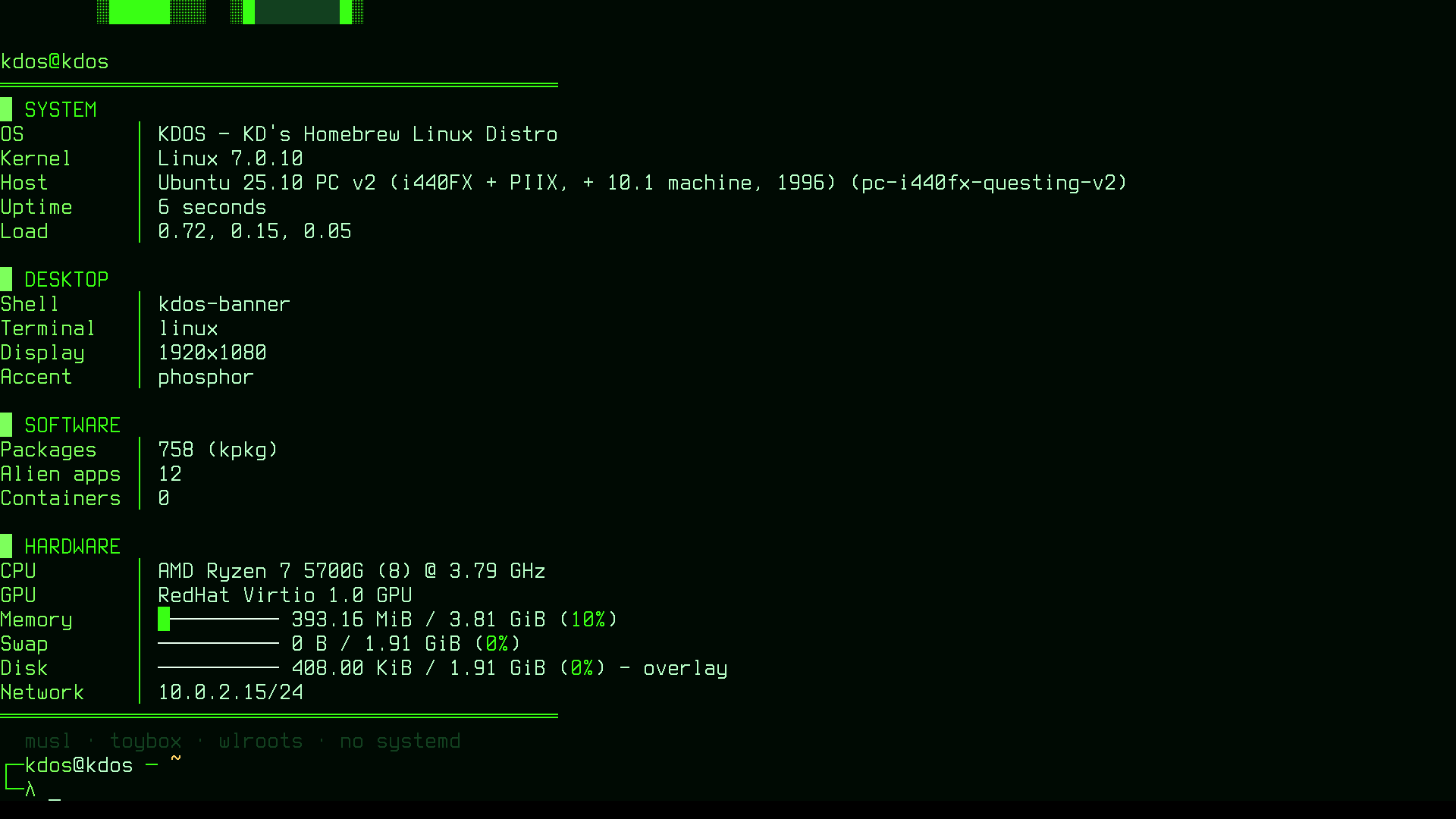
Three constraints are built into that generator. The VT font has the full block, the light and
medium shades (░, ▒) and the double box characters, but no half blocks and no dark shade, so
each cell is one glyph at one of three densities, and the colour carries the rest. Character cells
are twice as tall as they are wide, so the sampling grid must be about twice as wide as it is tall
or the image stretches. And the logo, 25 lines, must leave room on the console’s 33-row screen for
the prompt below it, or the banner prints plainly instead of animating.
See also
- How KDOS differs:
rcSand supervised scripts compared with the init systems of other distributions - Architecture overview: where boot sits in the running system
- Getting started: the same path from the user’s side
- Installation: what the installer writes to the ESP
- Theming: the boot menu, splash and console colours
- The session: everything after the login prompt
- The daemons: the services
rcSstarts - kinstall: the installer, its partition plans and LVM
- The build system: the image phase that builds the initramfs and the ISO
- How KDOS is built: the build from source to the ISO this chapter boots
- Configuration:
fstab,inittab,login.confand the rest - The ports catalogue: every port by shelf, with its phase,
including
limine,sysvinitandutil-linux - Known gaps: what the boot path does not do
Part III — Architecture, chapter 13. Previous: 12. Architecture overview · Contents · Next: 14. The session